The Topics list on the left
The Topics list is the column headed Topics on the left of the home page, the search results and most other pages. It lists every topic of the site; each row opens a topic, and the arrow beside it opens its subtopics.
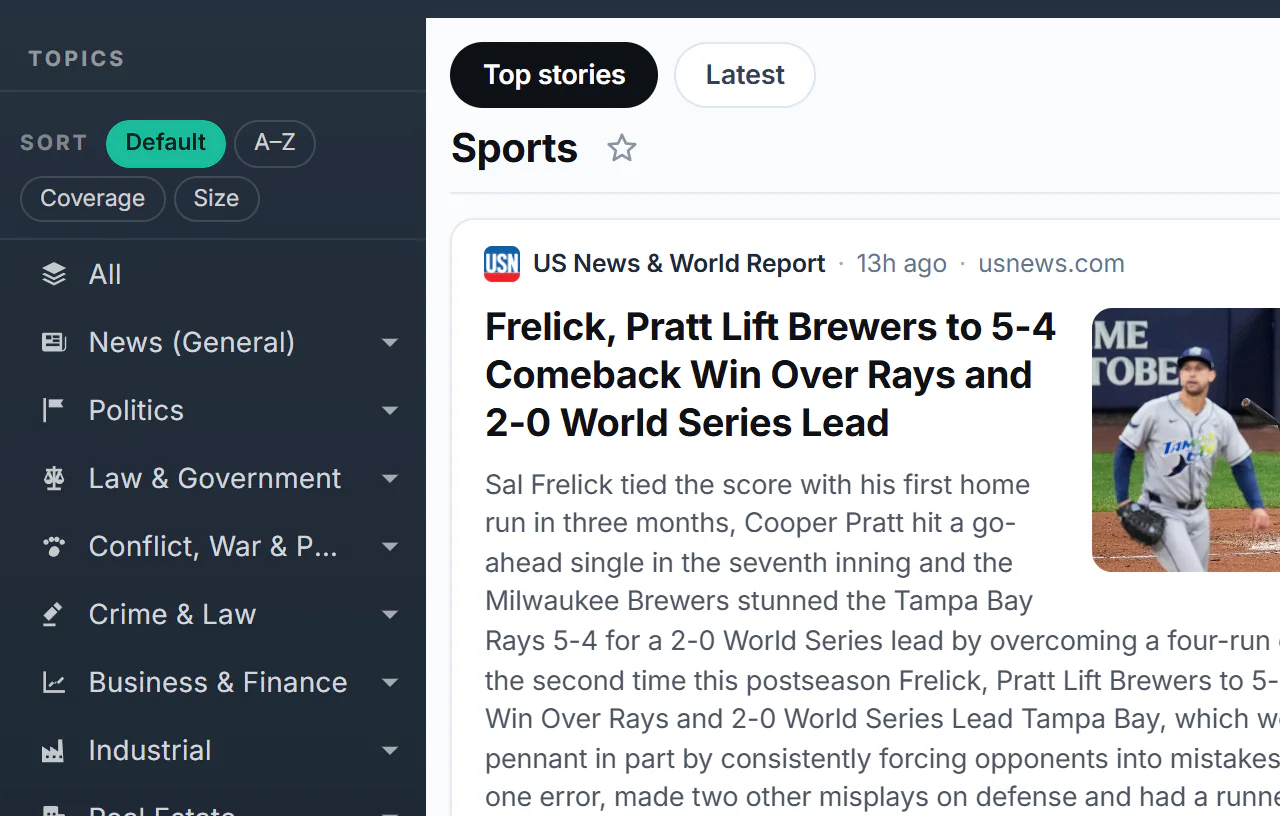
The top of the Topics list on the home page.
- 1Sort: Default, A–Z, Coverage or Size
- 2All: no topic
- 3A topic: select it to open its page
- 4The arrow opens its subtopics
#Open a topic
-
Find the topic in the list. Topics with subtopics have an arrow at the right.
-
Select the arrow to open the subtopics underneath; select it again to close them. Subtopics can have their own subtopics.
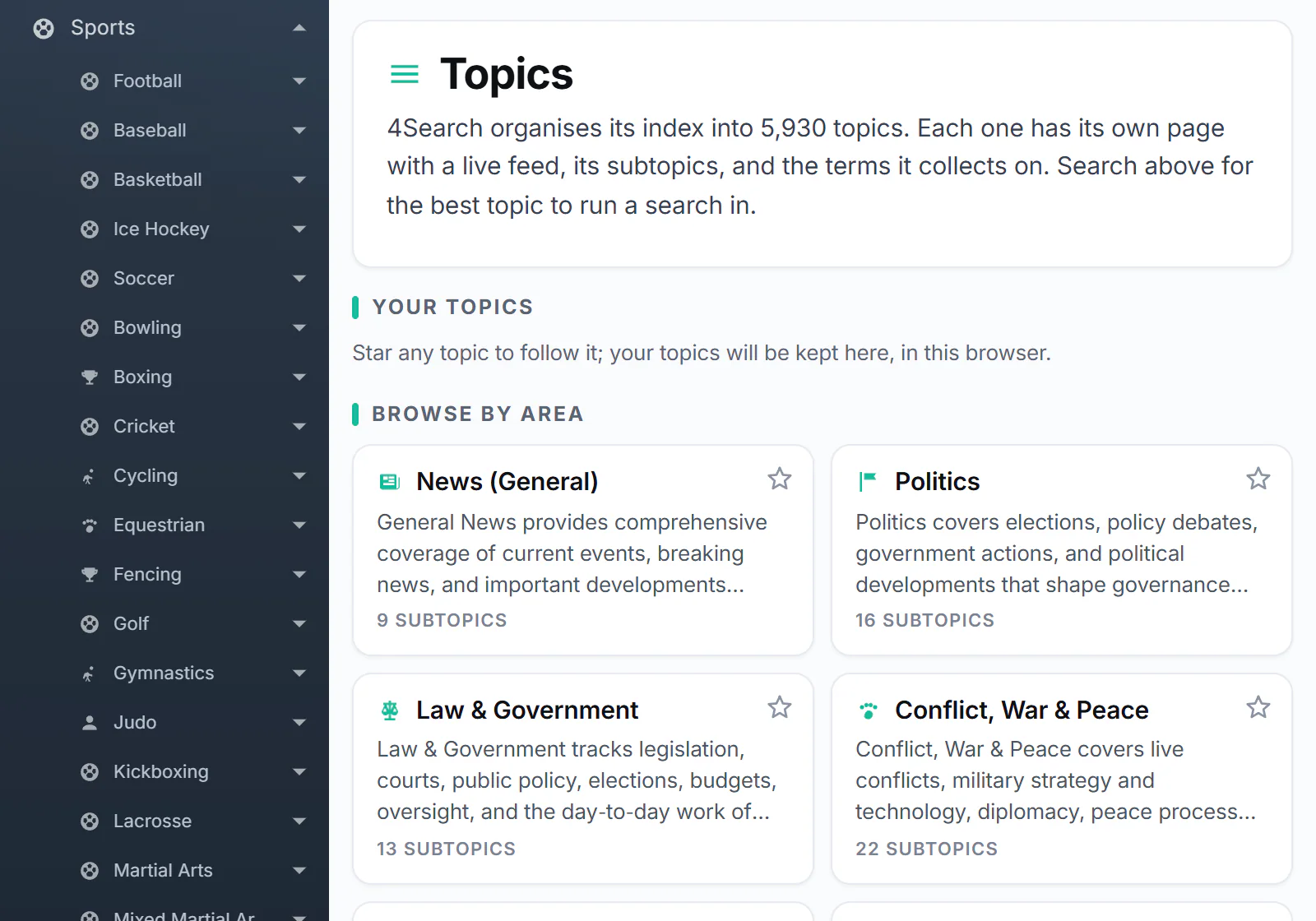
Sports opened to show its subtopics.
- 1The topic you opened
- 2One of its subtopics, with its own arrow
-
Select a topic's name to open its page, with what it covers, its subtopics and its latest articles. See A topic's page.
All, at the top, opens the latest News with no topic chosen.
#Sort the list
The Sort buttons above the list change its order, at every level:
| Button | Order |
|---|---|
| Default | The site's own order (on some sites, grouped under headings). |
| A–Z | Alphabetical. |
| Coverage | Most coverage first: the topics with the most stories in the last year. |
| Size | Most subtopics first. |
All stays at the top whichever order you choose, and the section headings some sites use are hidden while the list is sorted. Your choice is remembered in this browser.
#The list in AI Mode
In AI Mode, selecting a topic does not leave the chat: it makes the chat about that topic. See Ask AI about one topic.
#On a phone
On a narrow screen the list is folded away. Select the Topics button above the page to open it as a panel, and × (or a tap beside it) to close it.
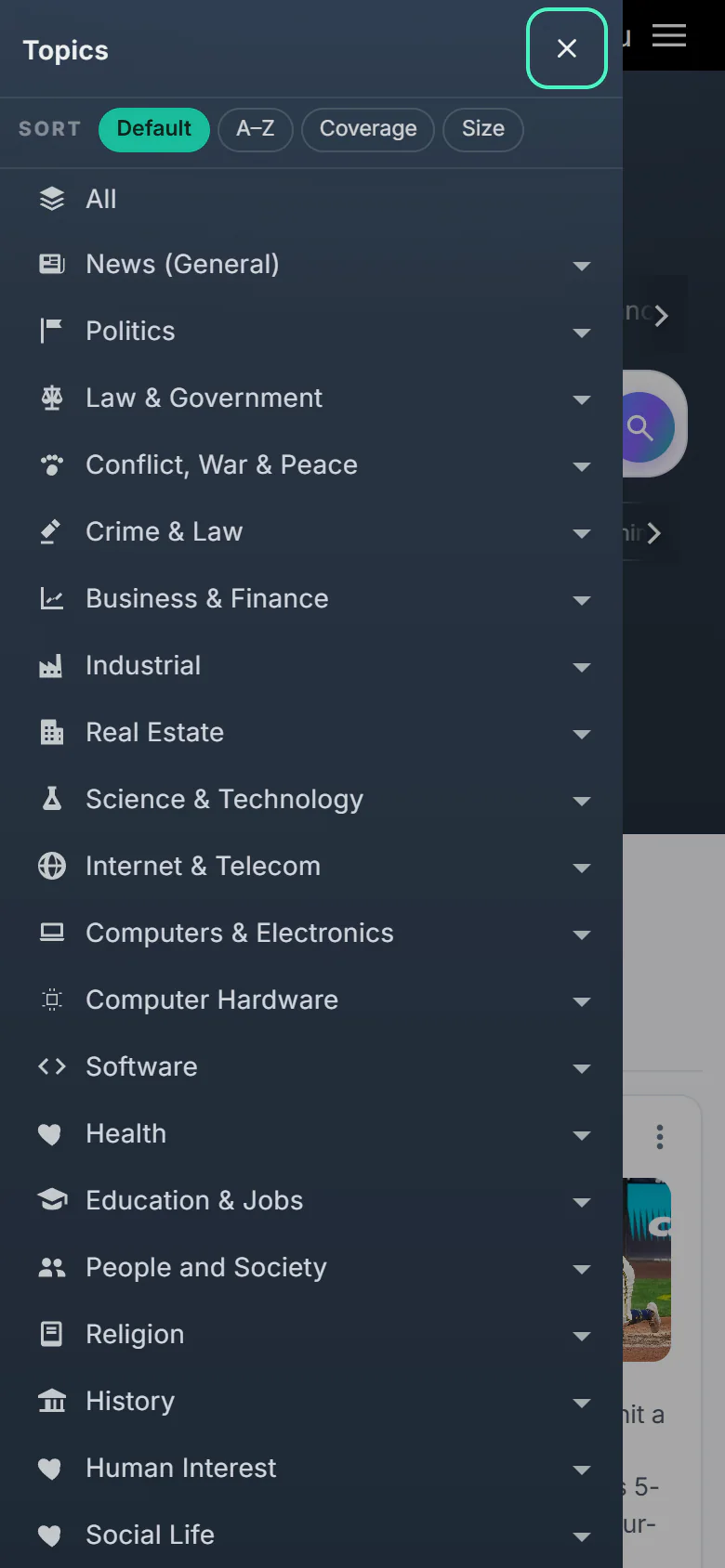
The Topics list opened on a phone.
- 1Close the menu
- 2Change the order of the list
- 3Open its subtopics
- 4Select a topic to open its page
#Common questions
Why does the list look different on another site?
Each site of the 4 Network has its own topics. See Topics and your front page.
What does Coverage count?
How many stories each topic collected over the last year. It is a quick way to see the busiest subjects first.
The arrow keeps spinning. What now?
Subtopics load when you open them. If they do not appear, select the arrow again or reload the page.